Profit
Getting started and data sync
How to connect your Etsy shop and Printify, when your first profit numbers appear, and how the data stays fresh.
The problemOrders, costs and fees live in three places, and adding them up takes your evening.
What you getConnect Etsy once. Orders come in by themselves, costs come from Printify, and the count runs in the background.
Sounds like you?
- I am worried connecting will mess with my shopDoes connecting change anything in my Etsy shop?
- I have sold for years. Will my old orders be there?How much history does LumiPoints import?
- I do not use PrintifyHow do I connect Printify?
- A number does not match what I expectedA number looks wrong. What should I do?
01How do I connect my Etsy shop?
Press Connect and sign in on Etsy's own page, then approve access. You never type your Etsy password into LumiPoints. LumiPoints then reads your orders, listings, fees, ads and the payment ledger behind your statement, so it can count the profit of every order. Connecting takes a couple of minutes and changes nothing in your shop settings.
Example
How it starts
- 1Connect your Etsy shop
You sign in on Etsy's own page. Your orders load on their own.
- 2Add what things cost
Connect Printify and its costs come in by themselves. Anything else you enter once.
- 3See your real profit
For the whole shop and for each order, kept up to date in the background.
02How do I connect Printify?
Create a Personal Access Token in your Printify account and paste it into LumiPoints. LumiPoints shows what it reads before you connect. From then on, product costs and the shipping you pay Printify come in by themselves for every order. Printify is optional: if you make your own products, you save each cost once instead.
Link to this answer03How soon do I see my profit?
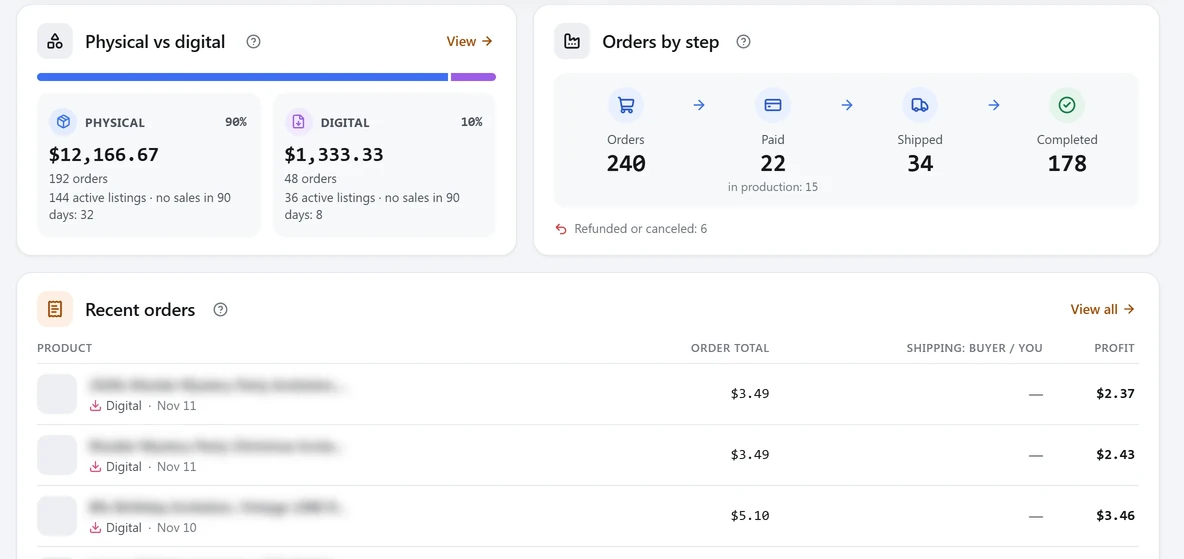
Right after you connect, LumiPoints imports your shop's history: orders, listings, fees, payments and reviews. The dashboard starts filling in within minutes. A shop with years of orders takes longer, because older history comes in stages. After the first import, updates are small top-ups, not a full re-import.
04How much history does LumiPoints import?
All of it, back to the day your shop opened, on every plan. The newest orders come in first, then the last year, then the rest in the background. Your plan decides how far back you can look: 90 days on Free, 360 days on Junior, all time on Senior. Move up a plan and the older history is there at once, nothing to re-import.
Link to this answer05How often is the data refreshed?
A background sync runs for every shop on a regular cycle, so the numbers stay current without you doing anything. You can also press Refresh to pull the newest orders right away; it has a short cooldown per shop. LumiPoints is not real time: every screen shows when the data was last updated.
Link to this answer06Does connecting change anything in my Etsy shop?
No. Reading your orders and counting your profit never changes your shop. Changes are separate actions you start yourself, such as applying new prices, and each one shows a preview, waits for your confirmation and can be undone. LumiPoints never deletes a listing.
Link to this answer07A number looks wrong. What should I do?
Open it: every figure leads to the orders and costs behind it. An order shows the item price, the coupon, shipping, each Etsy fee and your cost. If something still looks off, press Refresh, then write to [email protected] with the order number.
Link to this answerStill a question? Write to [email protected]. A person answers.