Prices and costs
Prices: find and fix the ones that lose money
Set the margin you want to keep, see every listing below it, and get the price that keeps it after fees, costs, shipping and your coupon.
The problemSome listings sell well and still lose money, and you cannot see which.
What you getEvery listing with its real margin, the ones below your target flagged, and the price that brings each back.
Sounds like you?
- I run coupons and wonder if they still payHow is a coupon counted?
- Some listings sell a lot, the shop still earns littleWhat does the price tool do?
- I do not want a tool changing my pricesDoes it change my prices on Etsy by itself?
- Margin or markup? I mix them upMargin, markup, ROI: what is the difference?
01What does the price tool do?
You set a target margin, for example 30%. LumiPoints checks every listing and variation against it and shows how many are below the target, how many sell at a loss, how many have no cost yet and how many are fine. For each one it shows the price now, the cost, the margin now, the new price that reaches the target, the profit per unit and the margin after.
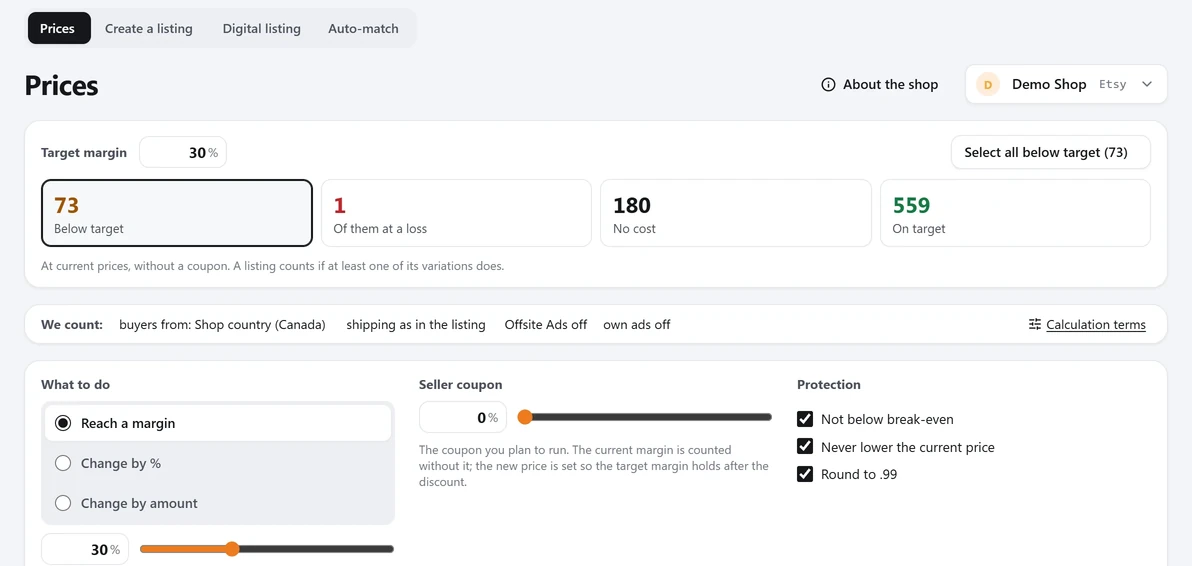
Example
Target margin 30%, sample data
- Below target
- 73 at least one variation under 30%
- Of them at a loss
- 1 sells for less than it costs
- No cost yet
- 180 checked once a cost is saved
- On target
- 559 nothing to do
Counted at current prices, without a coupon.
02Does it change my prices on Etsy by itself?
No. You tick the listings, look at the preview and press Apply on Etsy yourself. Before anything is written, the current prices are saved, so you can undo the change later in one step.
Example
From a losing price to a fixed one
- 1Tick
Choose the listings below your target.
- 2Preview
See the new price, the profit per unit and the margin after.
- 3Apply on Etsy
You press it. The current prices are saved first.
- 4Undo
Take the change back in one step if it did not help.
03What protections are there?
Three, all on by default: never below break-even, never lower a current price, and round to .99. You can turn each one off.
Link to this answer04How is a coupon counted?
Etsy takes its 6.5% transaction fee and payment processing on the price after your coupon. If you plan a coupon, enter it: the new price is set so your target margin still holds after the discount and the fees counted on it. The current margin is shown without the coupon.
Link to this answer05Why is the margin after a little off my target?
Because of rounding. The tool finds the exact price for your target, then rounds it to .99. The margin after is counted from the rounded price, so it lands a point or so above your target. That is the real margin at the price you would charge.
Link to this answer06Margin, markup, ROI: what is the difference?
Margin is profit divided by the price: the share of each sale that is yours. Markup and ROI compare profit with your cost instead. A sale can have a 40% margin and a 100% markup at the same time. The price tool works with margin, because margin tells you if a price still pays after Etsy's fees.
Link to this answerStill a question? Write to [email protected]. A person answers.